
Tools Menu
The Tools tab in the chat panel gives you quick access to writing utilities, export, and settings. Click any item to run it.
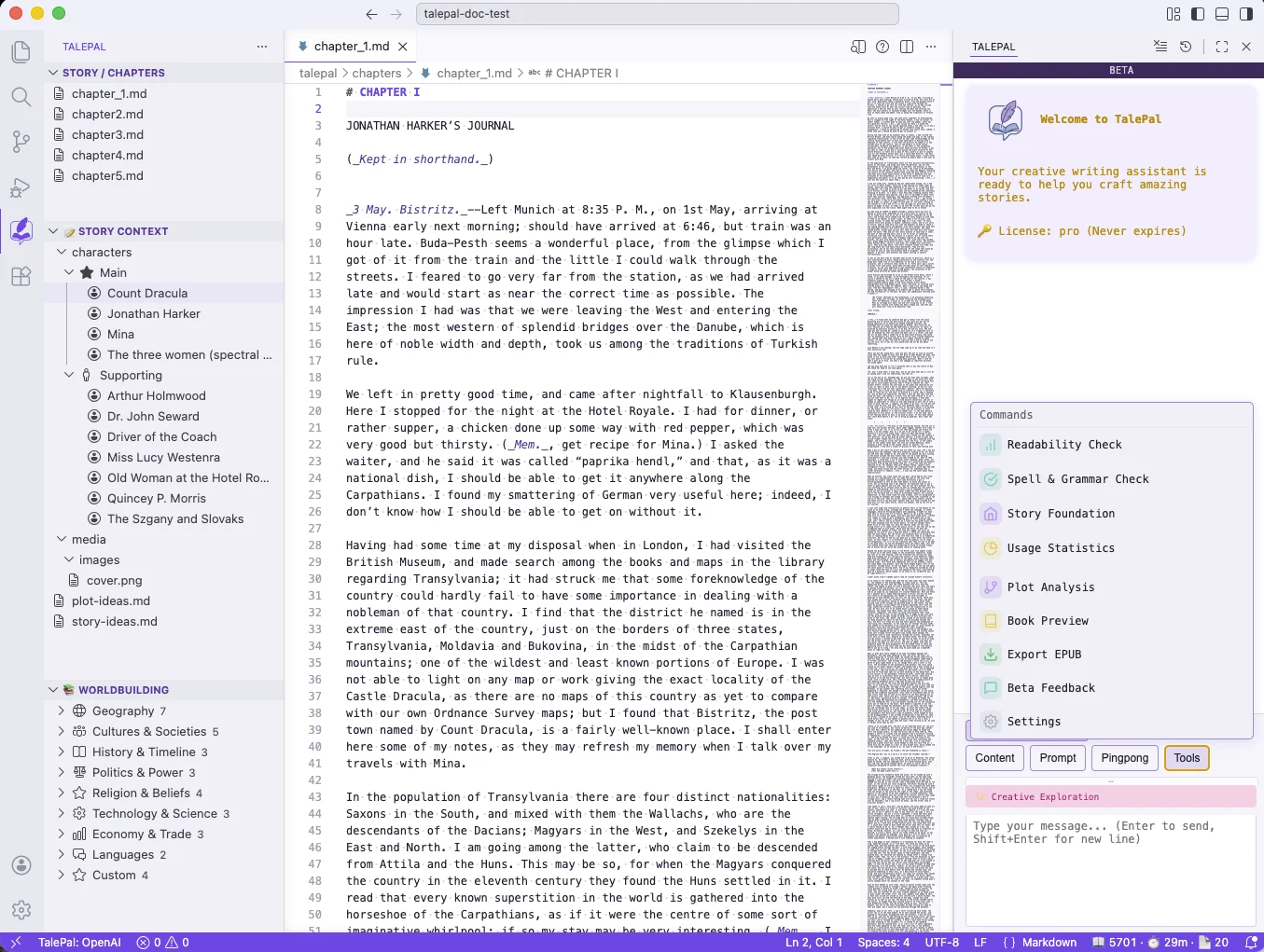
Readability Check
Scans the current chapter for common writing issues and highlights them directly in the editor. The goal is to help you spot mechanical problems in your prose — overly long sentences, repetitive words, adverb overuse — so you can decide what to fix.
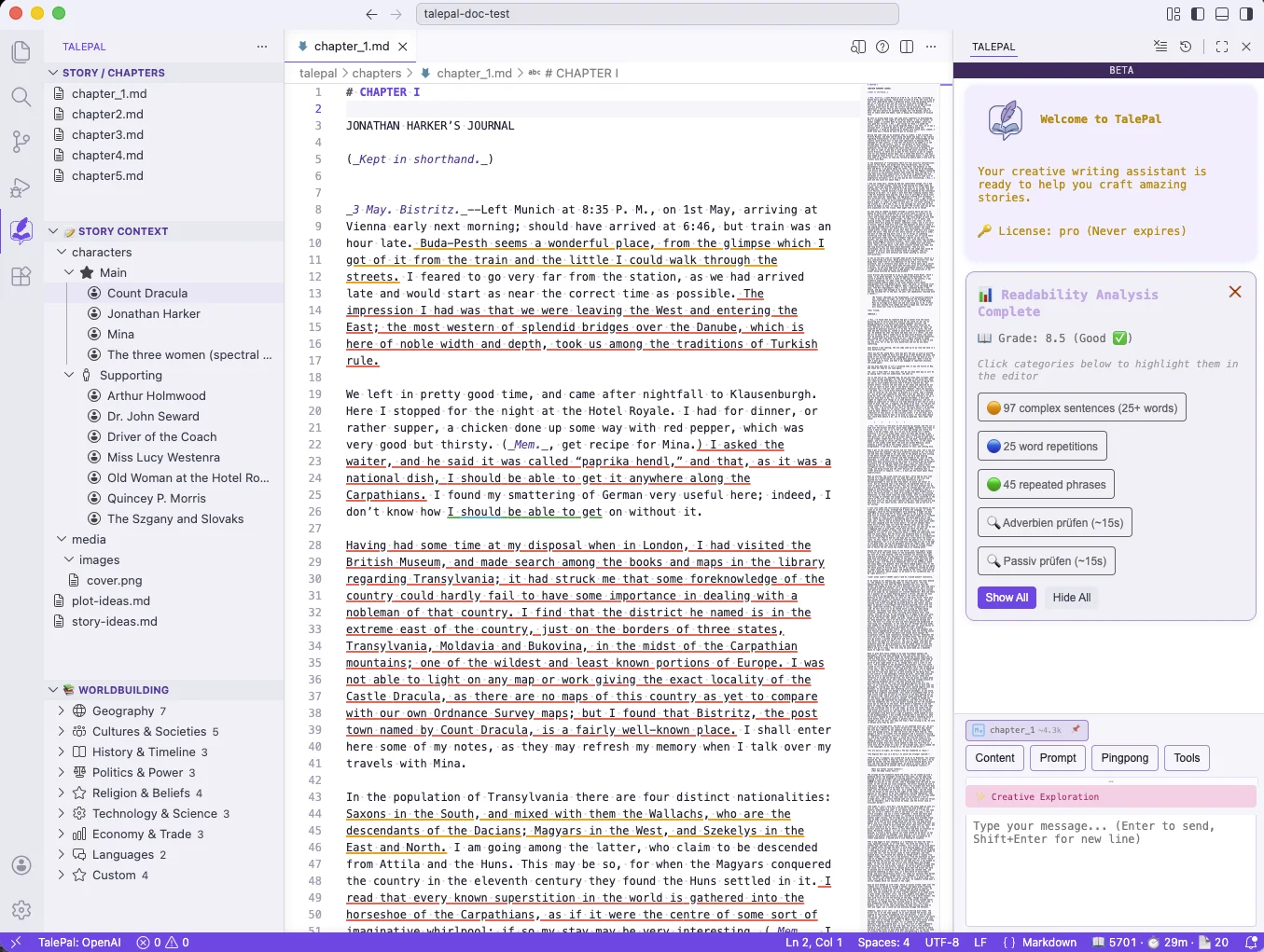
What it checks
| Check | What it finds | How it works |
|---|---|---|
| Complex sentences | Sentences that are too long | Counts words per sentence. Orange highlight at 25+ words (moderate), red at 30+ words (severe). |
| Word repetitions | Same word used too close together | Flags when a word of 6+ characters appears again within a 30-word window. |
| Repeated phrases | Phrases that repeat across the text | Detects repeated sequences of 3+ words. |
| Adverbs | Excessive adverb usage | Highlights adverbs (typically -ly words) so you can decide if they earn their place. |
| Passive voice | Passive constructions | Flags passive voice so you can choose active voice where it's stronger. |
Adjustable thresholds
All thresholds are configurable in Settings (talepal.readability.*):
| Setting | Default | Description |
|---|---|---|
sentenceComplexityThreshold |
30 | Words per sentence for severe (red) |
sentenceComplexityModerateThreshold |
25 | Words per sentence for moderate (orange) |
repetitionWindowSize |
30 | How many words apart a repetition must be to stop flagging |
minWordLength |
6 | Minimum word length to check for repetition |
minPatternLength |
3 | Minimum phrase length (in words) for pattern detection |
Use the Show All / Hide All buttons in the results panel to toggle highlight visibility. You can also navigate between issues with the arrow buttons.
Spell & Grammar Check
Runs a spelling and grammar check on the current chapter using the AI. Reports up to 20 issues (configurable via talepal.spellcheck.maxErrors), prioritizing the most important ones.
Story Foundation
Opens the Story Foundation wizard where you define your story's core elements — premise, characters, world, and conflict. Same as the "Building your Story Foundation" link on the welcome screen.
Usage Statistics
Shows your AI API usage across all providers: total calls, tokens consumed, estimated cost, and a breakdown by provider and feature.
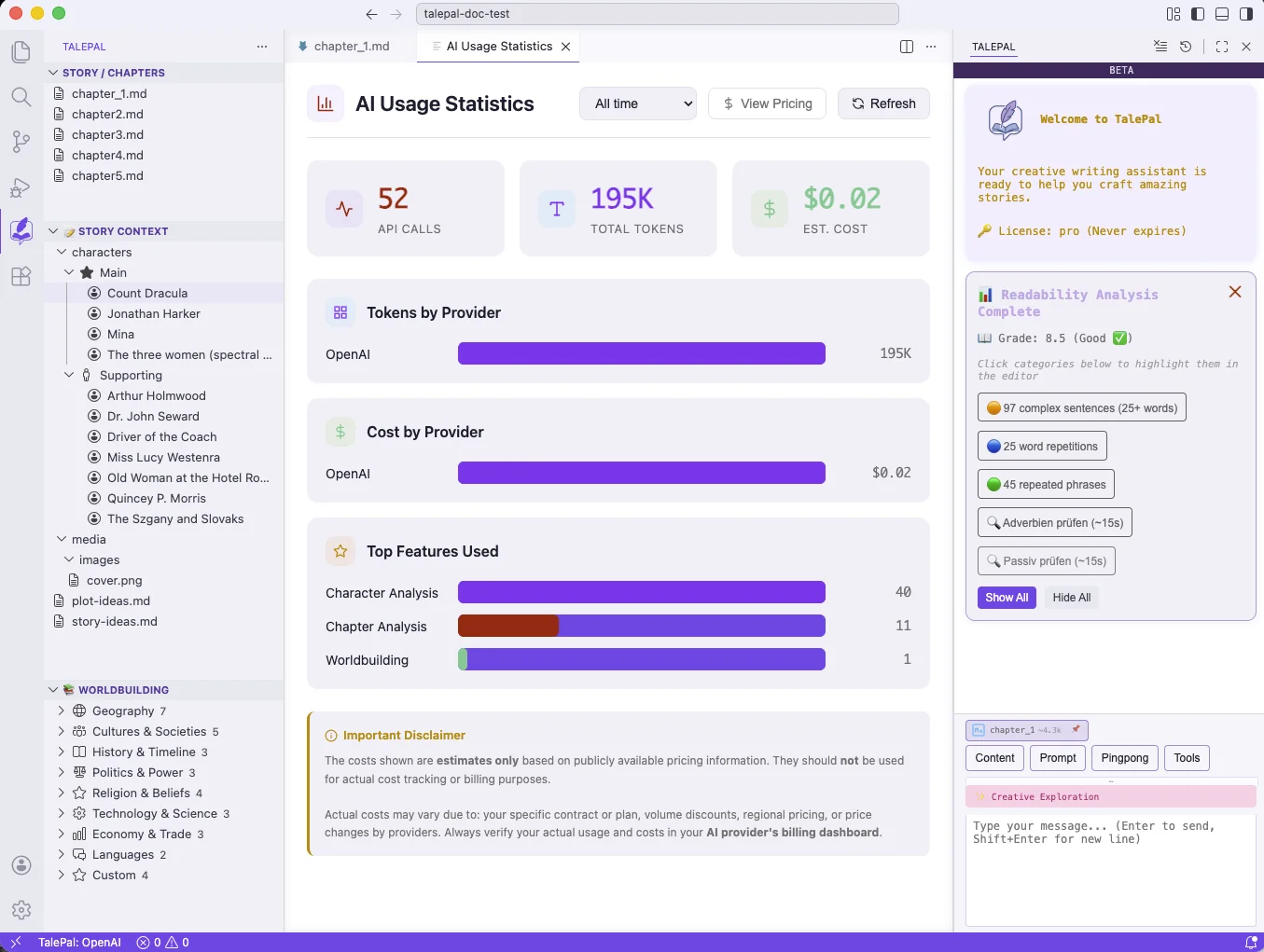
Costs shown are estimates based on publicly available pricing — check your provider's billing dashboard for actual charges.
Plot Analysis
Runs the plot analysis step on your chapters — extracting plot events, story structure, and timeline data. The results feed into the Plot Development mode and the dashboard.
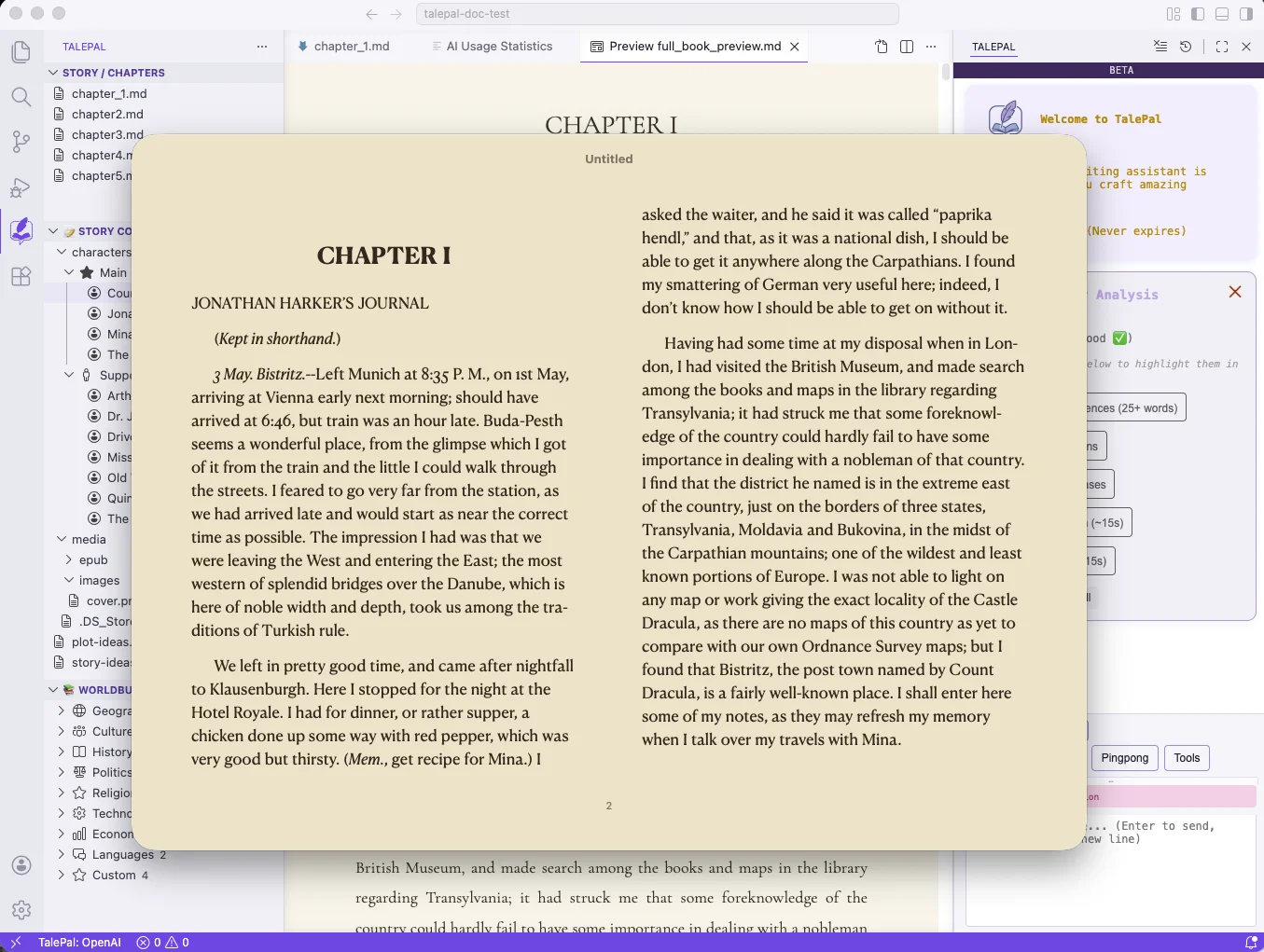
Book Preview
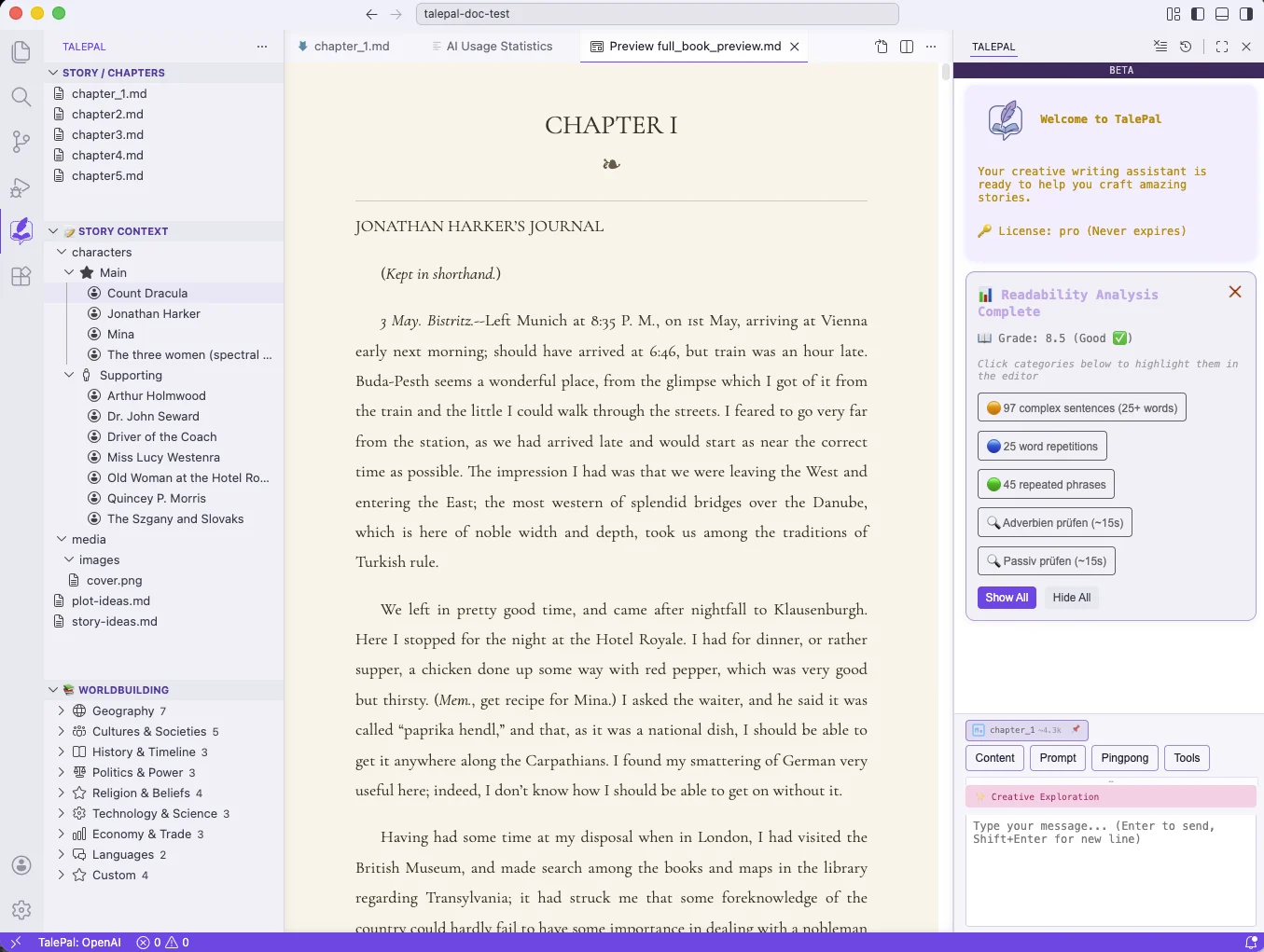
Renders your complete book (all chapters in order, with front/back cover) as a styled Markdown preview inside VS Code. You can choose from multiple preview themes (auto, classical, modern-light, modern-dark) in the settings.
Export EPUB
Exports your book as an EPUB3 ebook file. Chapters are converted from Markdown to HTML, images are embedded, and the file includes a table of contents. The save dialog defaults to talepal/context/media/epub/.
The EPUB uses a minimal, reader-friendly CSS — fonts, colors, and background are left to the ebook reader (Kindle, Apple Books, Kobo) so users control their reading experience.
Beta Feedback
Opens a feedback form to send suggestions or bug reports directly to the TalePal team.
Settings
Shortcut to the VS Code Settings page filtered to TalePal settings. See Settings for the full reference.
Next: Settings — complete settings reference.